
Run Structured Bug Bashes in Minutes, Not Hours
Ship higher quality releases by planning, running, and signing off bug bashes with your team in one workspace.
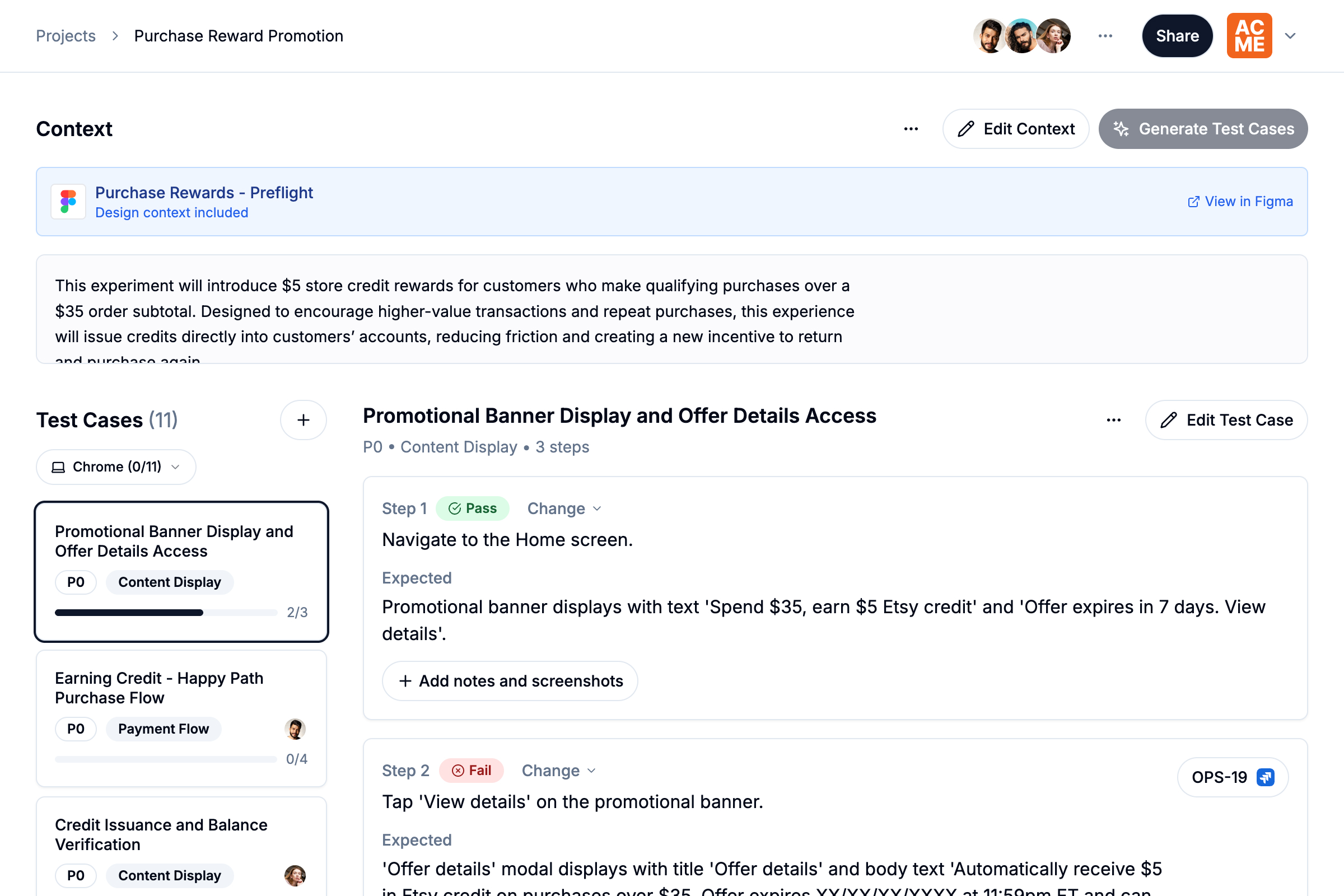
One Bug Bash Workflow. Zero Tab Chaos.
Instead of jumping between Docs, Sheets, Figma, and issue trackers, Preflight keeps bug bashing in one focused flow so teams can move faster.
Juggling 4 tools just to run one session.
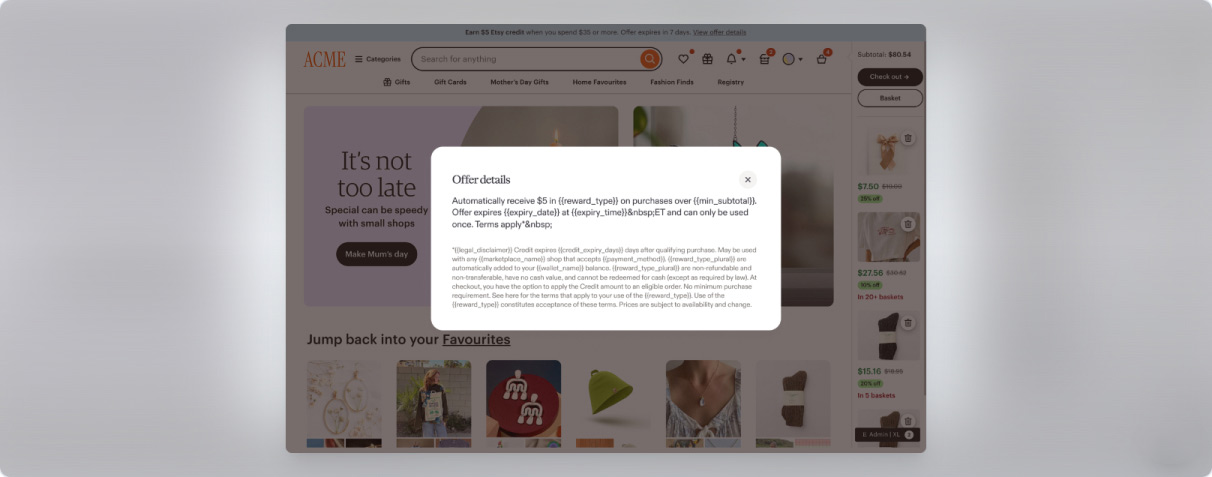
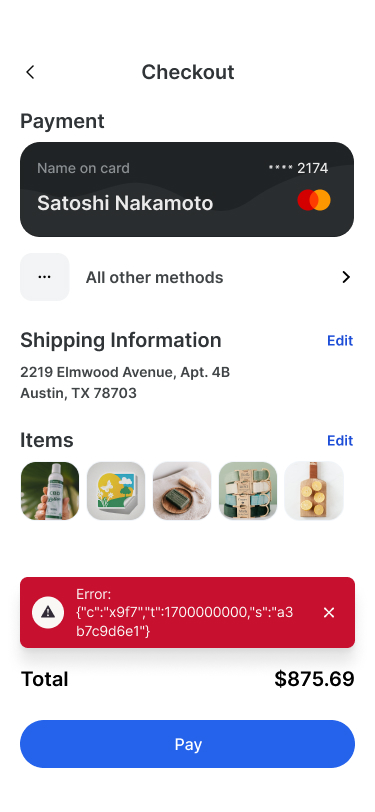

Write. Test. Capture. File. All in one flow.


Purpose Built for Bug Bashes and Dogfooding
Preflight replaces your bug bash spreadsheet with everything you need to run each session end to end.

AI-driven planning
Generate test cases from product requirements and Figma designs. Customize them to fit any feature. Preflight organizes and triages automatically, cutting prep time so you can start testing faster.

Real-time collaboration
Test together with your team in real-time. Multiple testers can work simultaneously on the same project, see each other's progress, and collaborate seamlessly.

Proof as you test
Mark tests as pass, fail, blocked, or N/A, and attach notes or screenshots along the way. Every issue comes with proof your team can reproduce quickly.

One-click tickets
Create Linear or Jira tickets right from failed or blocked tests. Reports link to issues automatically so your team stays in sync and moves fast.

Instant reporting
Create a read-only, failures-first snapshot that stakeholders can review in minutes. Reports highlight coverage, traceability, and risks so approvals happen faster and with confidence.

Multi-environment coverage
Whether you're testing a web app or native app, assign testers to specific browsers and devices. Your team tests in parallel so every environment gets covered before release.
How Preflight Works
Get started in minutes with a simple workflow for each bug bash.
Plan in Minutes
Paste your product requirements and Figma file link to let AI generate a charter-based test plan with clear steps and expected results. Charters follow your user flows, cover edge and error paths, and are fully editable.
Feature context
Feature
Passwordless sign-in via magic link for work emails
Expected behavior
- Allowlisted domains only
- Email confirmation with masked address
- 15-min expiration, single use
Design file
 Magic Link Sign-in Flow
Generated test charter
Successful passwordless sign-in with allowlisted domain
Magic link expiration after 15 minutes
Single-use link validation and reuse prevention
Error handling for non-allowlisted domain
Email confirmation message with masked address
Collaboratively Test, Document, and File
You and your team can divide and conquer the test cases. Mark each step as Pass, Fail, Blocked, or N/A. Add notes and paste screenshots right into the run. When something fails, create a Jira or Linear issue in one click without leaving the run.
Successful passwordless sign-in with allowlisted domain
Navigate to sign-in page
Expected
Sign-in form is displayed
Enter an improperly formatted email (e.g., user@@company.com) and submit
Expected
Error message "Invalid email" is displayed
Verify error message styling and position
Expected
Error message appears below the email input field in red text
Sign Off with a Snapshot
Create a read-only, failures-first snapshot that busy stakeholders can skim in minutes and approve with confidence.
Clear Your Next Release for Takeoff
Don't launch on a wing and a prayer. Replace manual docs with an organized workflow that catches bugs before your customers do.